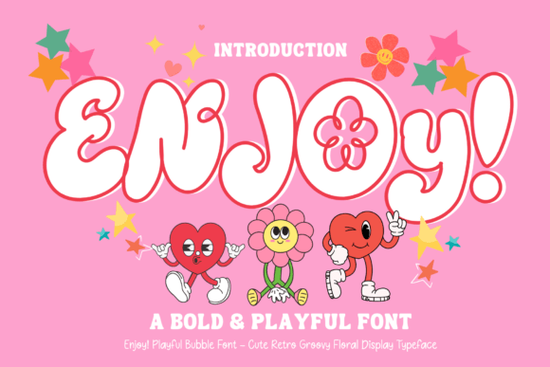
If you're looking for a display font that feels like sunshine in type form something cheerful, approachable, and full of personality you’ll love Enjoy Font. It’s not just another bold typeface. Its chunky bubble letterforms, soft curves, and subtle floral accents give it a warm, nostalgic energy that works especially well for projects meant to spark joy: birthday invites, classroom posters, kids’ activity sheets, or playful merch designs. Unlike overly technical or minimalist fonts, Enjoy was made to be seen, felt, and enjoyed not overanalyzed.
When does Enjoy Font work best?
This font shines where friendliness and visual warmth matter most. Think of it as your go-to for anything that needs to feel handmade, heartfelt, or just plain happy. It’s particularly effective at small-to-medium sizes on physical products like stickers, tote bags, or enamel pins because its generous spacing and rounded shapes hold up beautifully in print and cut files. For digital use, it reads clearly on social media banners and Instagram story graphics, especially when paired with simple sans-serif body text.
It’s also a smart pick for educators building themed lesson materials (think “Spring Garden Week” worksheets or “Reading Adventure” certificates) and for small business owners creating seasonal branding like a local bakery’s summer promo or a boutique’s back-to-school collection. Because it’s designed as a display font, avoid using it for long paragraphs or fine print. Stick to headlines, short quotes, product names, and callouts.
How does it compare to other playful display fonts?
While fonts like Sealgair Font lean into Celtic-inspired elegance and Dingen Font offers clean, modern bounce, Enjoy sits comfortably in the middle retro but not dated, bold but not overwhelming. You’ll notice it shares some friendly DNA with Beautiful Dainty Romance Font, though Enjoy swaps delicate flourishes for bolder, more grounded shapes. That makes it more versatile for crafters who need readability alongside charm.
Compared to limited-edition fonts that prioritize trendiness over usability, Enjoy is built for real-world use: it includes full Latin character sets, standard punctuation, and OpenType features like ligatures and stylistic alternates so you can switch between versions of the “a” or “g” without switching fonts. It also comes with matching vector floral elements, which many users appreciate for scrapbook layouts or layered SVG designs.
Who’s already using it and why?
We’ve seen teachers use Enjoy Font to redesign their classroom reward charts, turning “Good Job!” into something students actually pause to read and smile at. Print-on-demand sellers report strong engagement on t-shirts featuring phrases like “Snack Time Champion” or “Tiny Human, Big Imagination” especially when printed on soft pastel tees. One small stationery shop even used it across their entire spring collection, pairing it with hand-drawn botanical line art to create cohesive greeting cards and gift tags.
What stands out isn’t just how it looks but how little adjustment it needs. Unlike fonts that require heavy kerning tweaks or manual baseline alignment, Enjoy ships with balanced spacing and consistent weight distribution. That saves time whether you’re working in Cricut Design Space, Silhouette Studio, or Adobe Illustrator.
Where to find extra design support
Creative Fabrica includes practical extras with Enjoy Font: a PDF guide showing recommended pairings, file formats (OTF, TTF, WOFF), and tips for cutting vinyl cleanly. You’ll also get access to matching SVGs and PNGs ideal if you’re bundling digital downloads or prepping POD mockups. If you enjoy this style, you might also like browsing our limited-edition font collection, where seasonal releases often include similar retro-friendly options.
And if you're building a broader design toolkit, consider pairing Enjoy with Sealgair Font for contrast say, using Sealgair for a subtle subheading and Enjoy for the main headline. That kind of thoughtful layering adds depth without clutter.
Before you download: Check your software compatibility (it works in most major design apps), preview the character set to confirm it covers your language needs, and test a sample phrase at your intended size especially if you’re planning to cut or embroider it. Also, remember that display fonts like Enjoy are licensed for personal and commercial use, but always review the license terms included with your download.
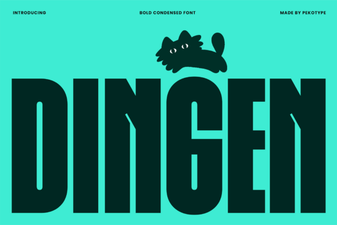 Dingen Font: Creative & Versatile Design Tool
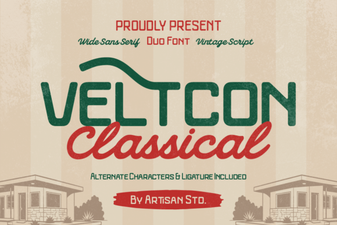 Veltcon Font: Bold & Versatile Design Inspiration
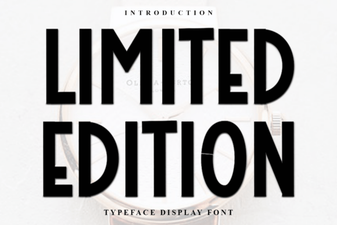 Limited Edition Fonts for Creative Design Projects
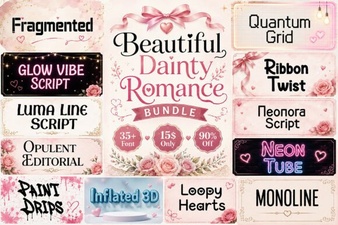 Dainty Romance Font for Elegant Design Projects
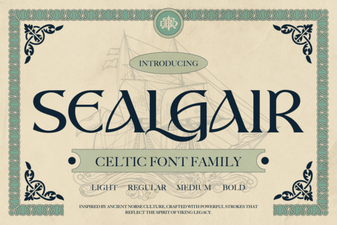 Sealgair Font: Creative Design & Versatile Typography
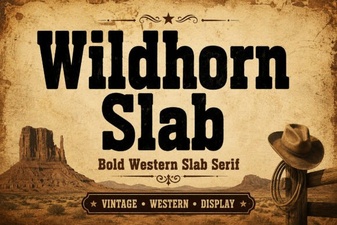 Wildhorn Slab: Bold, Versatile Font for Creative Projects